
Notefo: Your Writing Space, Free Notepad
Need a quick place to jot down thoughts? Notefo is a secure, elegant, and focus-oriented Online Text Editor that saves your notes instantly and locally—no accounts, no clutter, and no data tracking.
Start Writing Now, It's Free!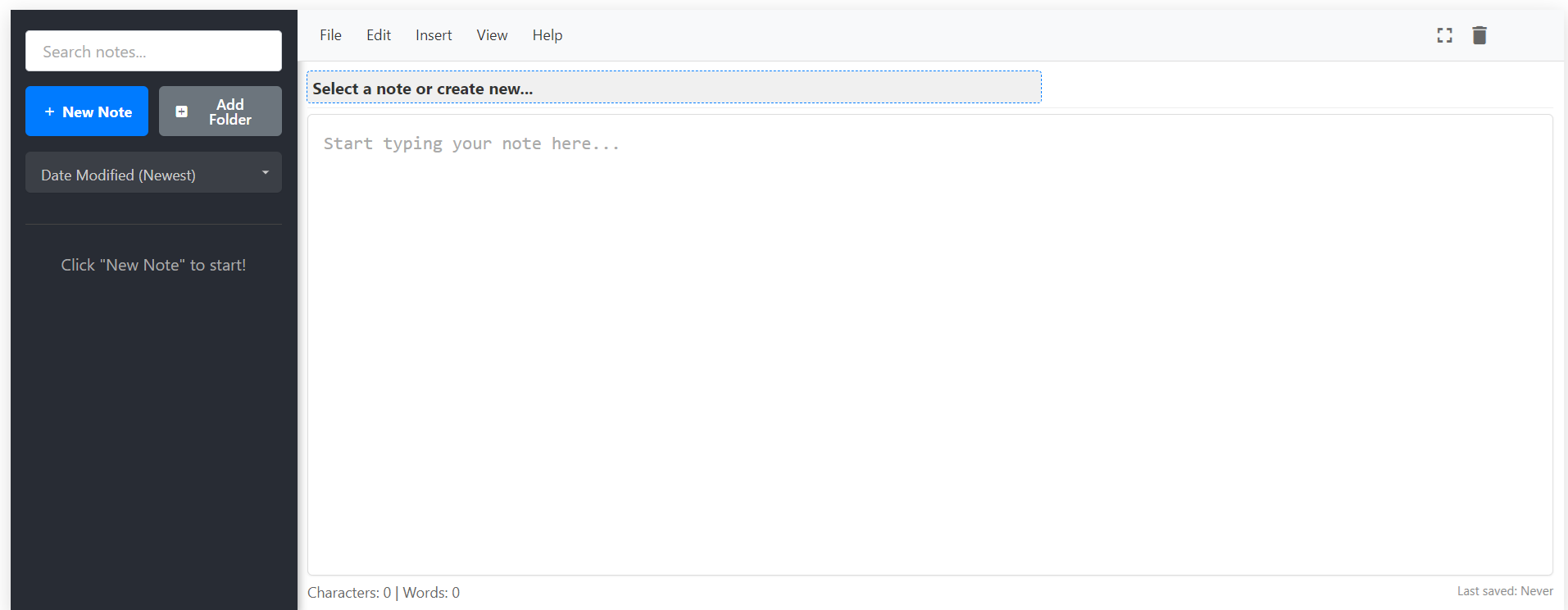
Choose Your Workflow: Two Ways to Note
Notefo offers flexibility: a sleek, modern editor for complex projects, or a lightning-fast classic view for quick thoughts. Select the perfect tool for your current task—both save instantly on your device.
Key Features of Notepad Hub
Simple Interface
A distraction-free editor with a minimal UI to keep you focused on what matters — your writing.
Autosave
Every keystroke is auto-saved in your browser. Your notes stay safe, even if you close the tab.
Word Count
Monitor your word count in real time — helpful for writers, students, and professionals alike.
Find & Replace
Search and swap words or phrases quickly using our smart find & replace feature.
Spellcheck
Automatically detect spelling mistakes using your browser’s native spellcheck support.
Print or export your notes as txt or json with one click — perfect for sharing or archiving.
✨ What is Notefo? Your Focus Partner.
Notefo is a fast, secure, and clutter-free online text editor built right into your browser. We're here for everyone—from students capturing ideas to professionals drafting code—offering instant writing access with no accounts, no logins, and zero fuss. ✍️
📝 **Privacy First:** Every word you write is automatically saved using your browser's local storage. This means your notes are never uploaded to our servers, keeping your information completely private and on your device.
Choose your perfect workspace: the Modern Notepad with folders and rich text tools, or the Classic Editor for ultimate speed and minimalist focus. Both are 100% free and work flawlessly on desktop and mobile. 📱
Ready to start writing? Jump into the Modern Editor or try the lightweight Classic Editor today!
Who Uses Notepad Hub?
Writers
Draft blog posts, story ideas, or journal entries distraction-free.
Students
Take class notes, make to-do lists, and study smarter.
Developers
Store code snippets, outlines, or quick project notes.
Mobile Users
Write on-the-go without downloading any app or signing in.
💙 What Our Users Are Saying
Real feedback from our growing community of writers, students, and developers who rely on Notefo daily.
“I appreciate the clean design. It has zero ads in my writing area, and the local saving feature works perfectly! 🚀”
– Maria S., Researcher
“This is my go-to starting point for drafting new content before moving to my final publishing platform. It is fast, simple, and reliable. 🔒”
– Ethan R., Marketing Specialist
“It is so refreshing to find a tool that allows me to work offline and keeps my personal data private. Excellent for jotting down temporary notes. 💻”
– Jasmine L., Freelancer
Frequently Asked Questions (FAQ)
Is Notefo completely free to use?
Absolutely! Notefo is 100% free with no hidden costs, subscriptions, or limitations. We believe in providing a completely accessible writing tool.
Is an account or login required to start writing?
No account or signup is necessary. Just navigate to Notefo, and you can begin typing instantly. Your focus should be on writing, not logging in.
Where are my notes stored, and are they private?
Your privacy is paramount. All notes are saved **locally** within your browser's LocalStorage. This means your data is never uploaded to our servers, keeping it completely private and on your device only.
What happens to my notes if I clear my browser's data?
Since your notes are stored locally, clearing your browser's cache, cookies, or LocalStorage will unfortunately erase them. For important work, we strongly recommend manually **exporting** or copying your data before clearing browser history.
Does Notefo work on mobile phones and tablets?
Yes, it does! Notefo is built to be fully responsive and works seamlessly across all devices, including iPhones, Android phones, and tablets, allowing you to take notes on the go.
What is the difference between the Modern and Classic Editor?
The **Modern Editor** offers features like folder support and basic formatting (if available), while the **Classic Editor** is a minimalist text area designed for maximum speed and zero distraction for quick notes or drafting.
🚀 Boost Your Productivity with 14+ Free Text Tools
Clean, edit, count, format, and manipulate your text with our collection of powerful, fast, and free tools — no login required!
Explore All Text Tools🚀 We Recommend Hostinger
Looking for fast, secure, and affordable web hosting? Hostinger delivers lightning-quick performance, 99.9% uptime, and an easy setup experience — ideal for WordPress, startups, and modern websites.
Get Deal – Save Extra 20%